Here is the translation of the article into English, with "Optica Iris" replaced by Blink:
Digital Eye Strain: How to Protect Your Eyes When Working 8+ Hours on a Computer
In the modern world, digitalization is not just a trend—it is a way of life. Almost every profession today is unthinkable without the presence of a screen, whether it is a computer, tablet, laptop, or smartphone. For many of us, the workday begins in front of a monitor and ends with scrolling through a social media feed in the evening. Although technology gives us incredible freedom and opportunities, it comes with a price. More and more often at Blink, we meet clients complaining of headaches, dry eyes, blurred vision, and chronic fatigue at the end of the day. These symptoms are often grouped under the term "digital eye strain" or "computer vision syndrome."
Digital strain is not a disease in the classical sense of the word, but it is a condition that can seriously degrade your quality of life and productivity. It is important to understand that your eyes were not "designed" to look at a fixed near distance for eight hours without a break. When we focus on the screen, the eye muscles strain to maintain focus, and our minds often "forget" to blink frequently enough. This is the beginning of the problem.
What Exactly is Digital Eye Strain?
Computer vision syndrome manifests through a combination of different symptoms. Most commonly, these are dryness, burning, itching, redness, or excessive tearing of the eyes. In many cases, users share that they experience difficulty refocusing from near to far distance—for example, when they look out the window after working for a long time on a file on the computer. Added to this are symptoms outside the eyes, such as headaches, neck pain, shoulder pain, and back pain, which are often a direct result of improper posture in front of the screen, provoked by our efforts to see better.
When we look at the screen, the frequency of blinking drops dramatically. In a normal state, we blink about 15-20 times per minute, which spreads the tear film evenly over the surface of the eye and keeps it moist. When working on a computer, this number drops to 5-7 times. As a result, the tear film evaporates faster, the surface of the eye dries out, leading to irritation and a feeling of "sand" in the eyes.
Blue Light: The Invisible Enemy
Another key factor we often talk about at Blink is blue light. The screens of modern devices (LED monitors, smartphones, tablets) emit a large amount of high-energy visible light, known as blue light. Unlike other colors in the spectrum, blue light has a short wavelength and higher energy. It passes through the cornea and lens of the eye and reaches the retina directly.
Long-term exposure to blue light can lead to photochemical damage to the cells of the retina. Furthermore, it negatively affects the circadian rhythm—our biological clock. When you work late on a computer, blue light tricks your brain into thinking it is daytime. This suppresses the production of melatonin—the hormone responsible for good sleep. This creates a vicious cycle: your eyes are tired from the screen, but your body cannot relax and fall into quality sleep, leading to even greater fatigue the next day.
How to Protect Your Eyes: Practical Strategies
The good news is that digital strain can be managed with proper habits and the right tools. Here are the most effective methods we recommend to our clients:
The 20-20-20 rule is your first line of defense. This is an extremely simple but fundamental rule. Every 20 minutes in front of the computer, take 20 seconds to look at an object that is at least 20 feet (about 6 meters) away from you. This movement allows the ciliary muscle in the eye, which is responsible for accommodation (focusing on near objects), to relax. When we look far away, our eyes are at rest. Practicing this exercise will noticeably reduce tension at the end of the workday.
Workplace ergonomics are also critical. Your monitor should not be too close or too far. The ideal distance is an arm's length—about 50 to 70 centimeters. The center of the screen should be positioned slightly below eye level (about 10-15 degrees down). This allows the eyelids to be slightly lowered, which reduces the surface area for tear film evaporation and consequently reduces the feeling of dryness. Also, make sure the monitor is not facing directly toward a window or a bright lamp to avoid glare. Glare forces the eye to strain further to distinguish the image from the background noise.
Using artificial tears can be an excellent addition to your regimen, especially if you work in an office with air conditioning, which further dries out the air. Consult an ophthalmologist to choose suitable drops to moisturize your eyes without containing preservatives, which can be irritating with prolonged use.
The Solution That Changes Everything: Computer Glasses
At Blink, we are often asked if special glasses are really necessary if a person does not have a prescription. The answer is a firm "Yes." Even if your vision is perfect, protecting your eyes while working in front of a screen is a important investment.
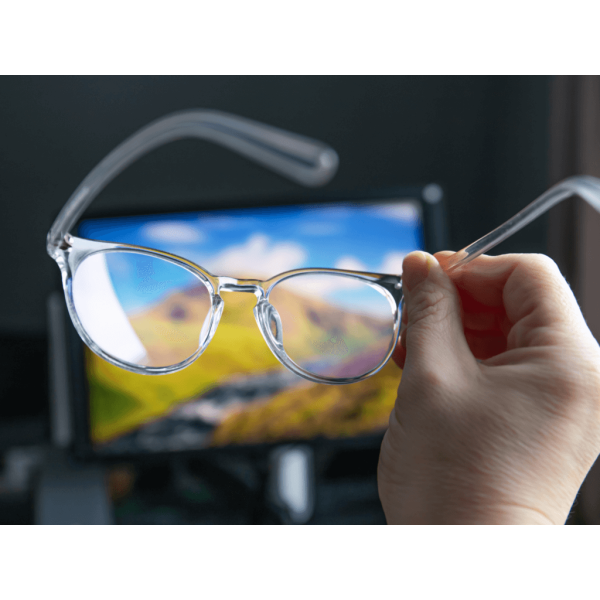
Modern computer glasses are characterized by two main features: a specific lens design and a special coating against blue light (Blue Cut filter). Computer lenses can be made to assist with focusing at near and intermediate distances, reducing the effort the eye exerts to maintain a clear image.
The blue light coating acts as a filter. It neutralizes harmful rays before they enter the eye, while improving the contrast of colors on the screen. This makes text sharper and images clearer. When you look through such glasses, the image is not as "aggressive," and your eyes feel more relaxed.
It is important to note that these glasses are suitable not only for people who already wear prescriptions for nearsightedness or farsightedness. They are extremely useful for those who have perfect vision but work long hours in front of a monitor. We can integrate blue light protection into any type of frame—from classic business styles to modern, colorful frames that highlight your individuality.
The Role of Quality Lighting
In addition to taking care of your eyes, consider the lighting in the room. Many people work in rooms that are too dark, relying only on the light from the screen. This is a mistake. The contrast between the brightly lit monitor and the dark room is a huge stress on the visual system. The room should be well-lit, preferably with the light coming from the side rather than from above or behind, to avoid direct glare on the display.
If you use a desk lamp, it should have adjustable direction and cast neutral light, rather than light that is too cold or too warm. Proper lighting helps reduce the contrast difference between the screen and the surrounding environment, allowing your pupils to not constantly constrict and dilate in an attempt to adapt to different brightness levels.
When to Seek Professional Help?
Despite all preventative measures, sometimes digital strain can be masked as a symptom of another vision problem. If you feel that headaches are constant, if you see double, or if the dryness becomes unbearable, you must visit a specialist. Sometimes fatigue in front of the computer is intensified by undiagnosed mild astigmatism or farsightedness. Your eyes are trying to compensate for the defect, which consumes a huge amount of energy.
A professional eye exam is the first step toward comfortable vision. Do not wait for the problem to worsen. Regular preventive examinations at least once a year are mandatory, especially if you spend more than 4-5 hours a day in front of a screen.
Investment in Eye Health
In conclusion, technology is an integral part of our lives, but this does not mean we have to sacrifice the health of our eyes. By making small changes in your daily routine—such as the 20-20-20 rule, ergonomic workplace positioning, and choosing appropriate glasses with protection—you can significantly improve your comfort.
Your health is an investment, and your eyes are your most valuable tool. Do not underestimate the signals your body sends. Discomfort is not something you have to put up with. Visit Blink, where we will be happy to discuss your habits and offer you the best solution—whether you are looking for stylish frames with blue light protection or just professional advice. Our mission is to help you see the world clearer, brighter, and more comfortably. Ask us at Blink for a consultation.